Grading/
without
the mystery.
Grade Drafter provides AI-assisted draft marks and feedback where you already work. You review every decision and retain responsibility for the final judgement. Your marking guide. Your AI key. Your final say.
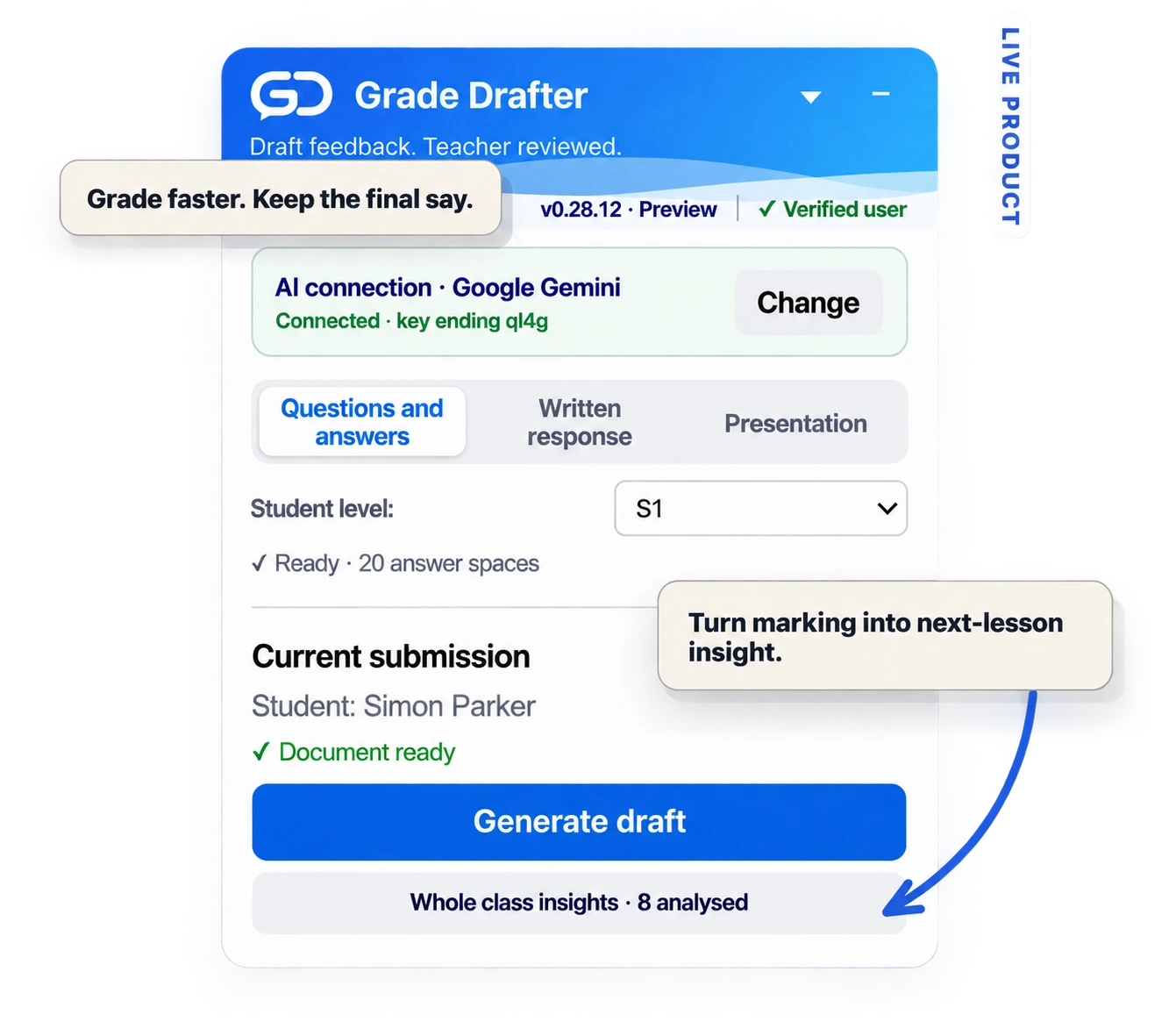
It sits beside the work. Not in another dashboard.
Many AI grading tools create a separate workflow. Grade Drafter starts in Google Classroom, beside the document you were going to grade anyway.
Open the submission
Grade Drafter reads the active Google Doc or Slides submission and identifies the student response areas.
Link the marking guide once
For worksheets, point Grade Drafter at the completed version. It maps the same answer spaces rather than guessing from page layout alone.
Generate a draft
AI-assisted marks, concise comments and overall LPTR feedback are drafted. You can grade one student or let it work through the class.
Review, then apply
Teacher review is required. Check the draft, jump to evidence, resolve genuine uncertainties, then decide what to apply. The teacher retains responsibility for the final judgement.
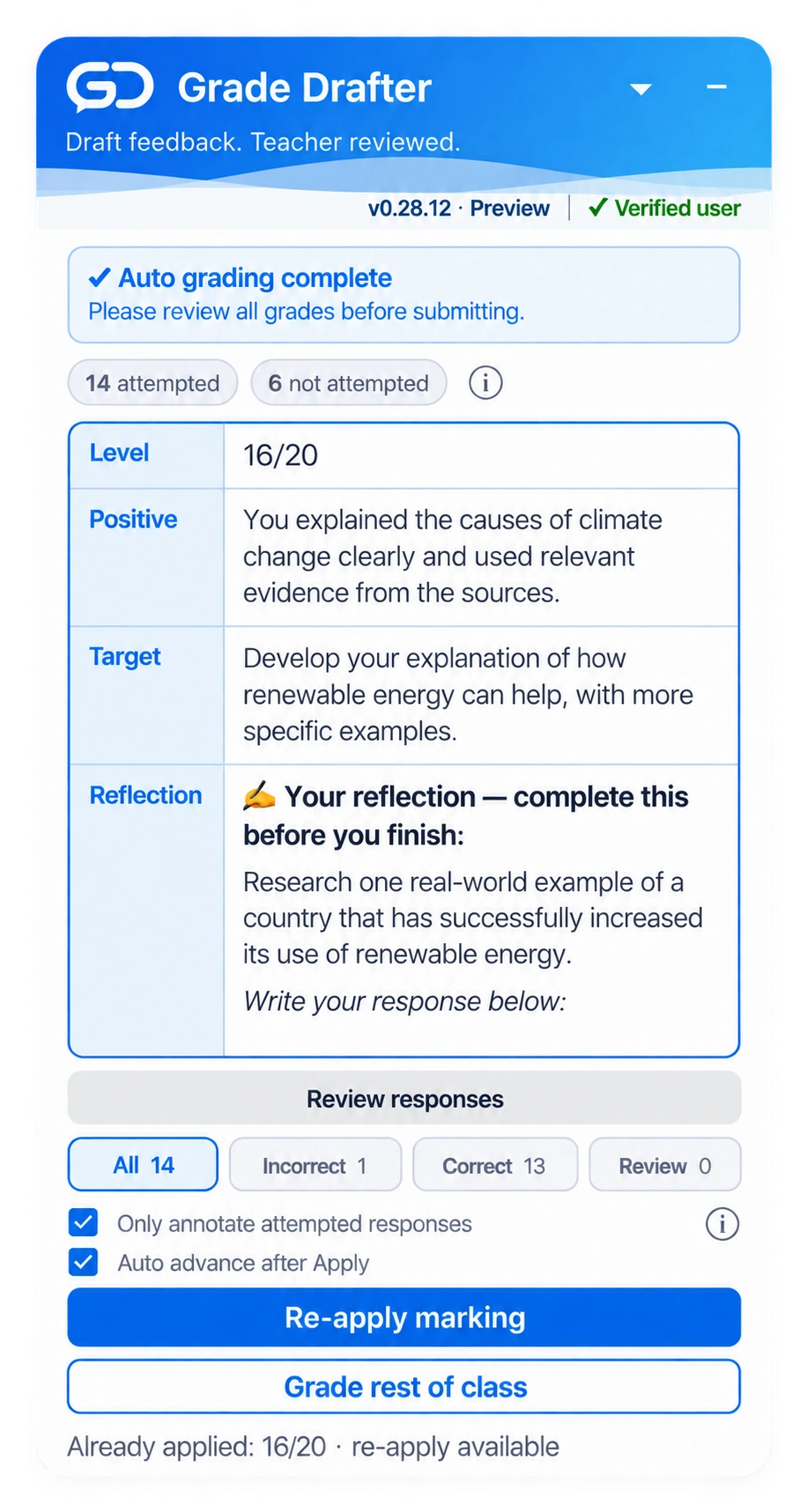
Correct and incorrect responses get concise draft feedback instead of paragraphs of filler.
When an answer genuinely needs judgement, it stays visible for teacher review.
Review by category, then move straight back to the response you need to inspect.
The AI drafts. The teacher decides.
Pay for the workflow. See the AI cost.
Grade Drafter charges for the workflow, not for reselling AI tokens. Connect your own Gemini API key — or one approved or provided by your school — and see what the underlying model actually costs.
Careful · Gemini 3.8 Flash: $0.75/M + $3.75/M through Dec 2026, recommended for longer written responses and essay grading.
Different work needs different grading.
A worksheet is not an essay. An essay is not a slide deck. Grade Drafter uses a different review pattern for each instead of forcing everything through one rubric-shaped funnel.
Questions & answers
Completed marking guide → mapped answer spaces → marks, concise corrections and an overall grade.
Written response
Teacher criteria → strengths, improvements and feedback anchored to the student’s own writing.
Presentation
Review a Google Slides submission, draft educationally useful strengths and targets, then apply feedback.
See what the class needs next.
After grading, Grade Drafter turns analysed submissions into teacher-only class insights: common patterns, strengths, weaknesses and a suggested next-lesson focus.
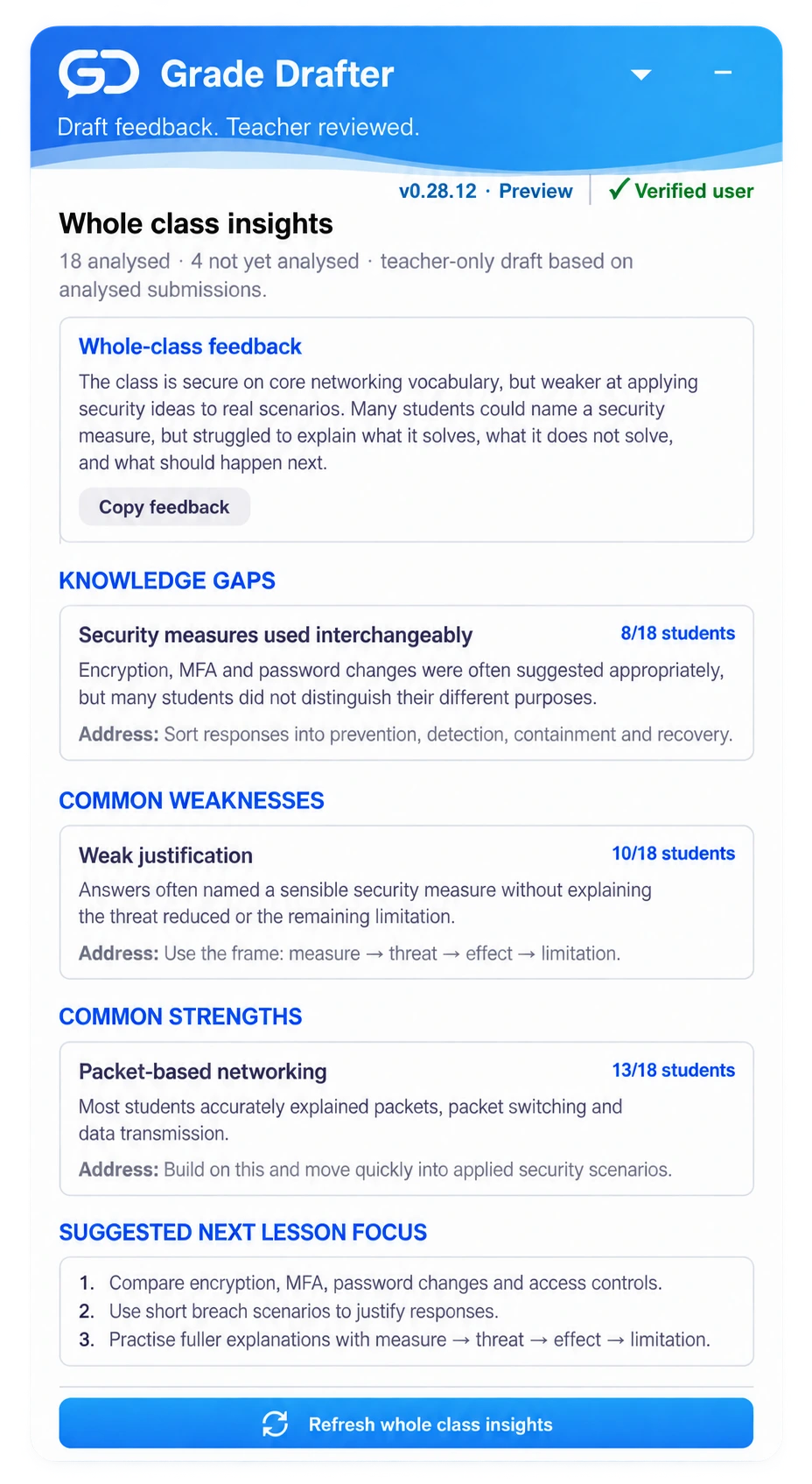
See misconceptions and strengths that are easy to miss while marking students one by one.
Use the suggested focus to plan a reteach, extension or short retrieval activity.
The class summary is a draft for the teacher, not feedback automatically sent to students.
$19.99
per year
Grade Drafter doesn’t bundle or resell AI credits. Connect your own Gemini API key — or one approved by your school — and pay Google directly for what you actually use.
No grading credits. No monthly usage tier. No hidden AI markup.
School licences are quoted based on the number of teachers. Request a school quote.
Join the private beta →Private beta access is currently free while the workflow is being tested.